Using this application, end user can add n number of user along with their address in the h2 Database using exposed REST API’s.
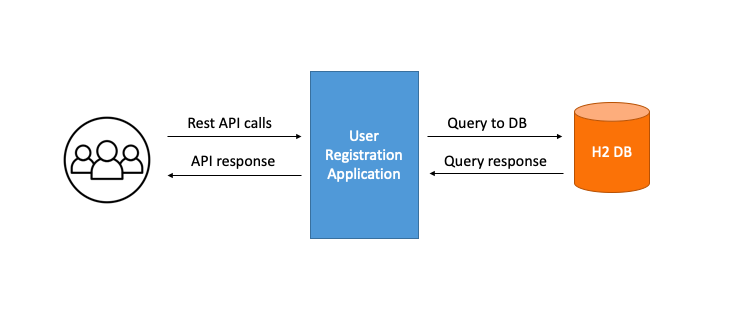
Dependency management : Maven
Framework: Spring framework
Language: Java 11
Database: H2 DB
- Step1: Clone this repository
- Step2: Open downloaded application in Spring Tool Suite (or any preferred IDE)
- Step3: Run the application using Spring Boot App
- Step4: Navigate to below URL to test all the REST endpoints
http://localhost:8080/swagger-ui.html#/ - Step5: Navigate to below URL to access H2 Database
http://localhost:8080/h2
Databse: H2 DB
DB: jdbc:h2:mem:backend_test
DB User Name: varo
DB Password: varo
(Note: We can change DB properties form the application.properties file)
For further reference, please consider the following sections:
- Official Apache Maven documentation
- Spring Boot Maven Plugin Reference Guide
- Create an OCI image
- Spring Data JPA
- Spring Web
The following guides illustrate how to use some features concretely: